
The dashboard is the first thing you see when you sign in, and it exists to answer one question: what needs doing today? Nothing on it asks you to type anything. It is all worked out from records you have already entered.
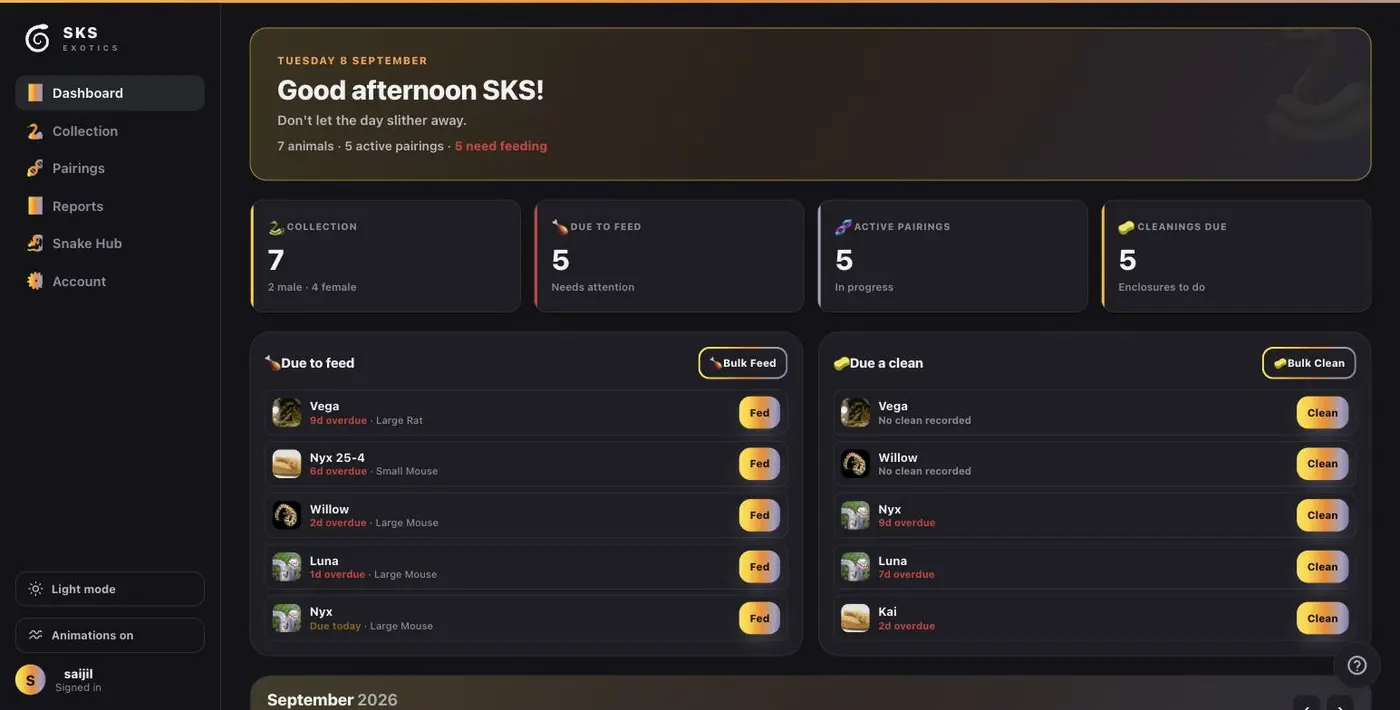
The four counters
Along the top sit four numbers. They are live, and they are the fastest health check you have.
- Collection — how many animals you hold, split by sex underneath.
- Due to feed — animals whose next feed date has arrived or passed.
- Active pairings — pairings that have not yet finished or been closed.
- Cleanings due — enclosures waiting on a clean.
Due to feed, and Due a clean
The two lists below are the working part of the screen. Each row names the animal, shows how overdue it is, and — for feeding — the prey size you last used, so you know what to take out of the freezer before you walk to the rack.
- Tap Fed or Clean on a row to log it there and then. One tap, no form.
- Bulk Feed and Bulk Clean at the top right of each list handle the whole list at once, which is what most people want on a feed night.
Red text means overdue and how long by. "Due today" is not late — it is today's work.
The calendar
Scroll down and the month is laid out with everything on it: feeds, sheds, cleans, vet visits, and where each pairing has got to.
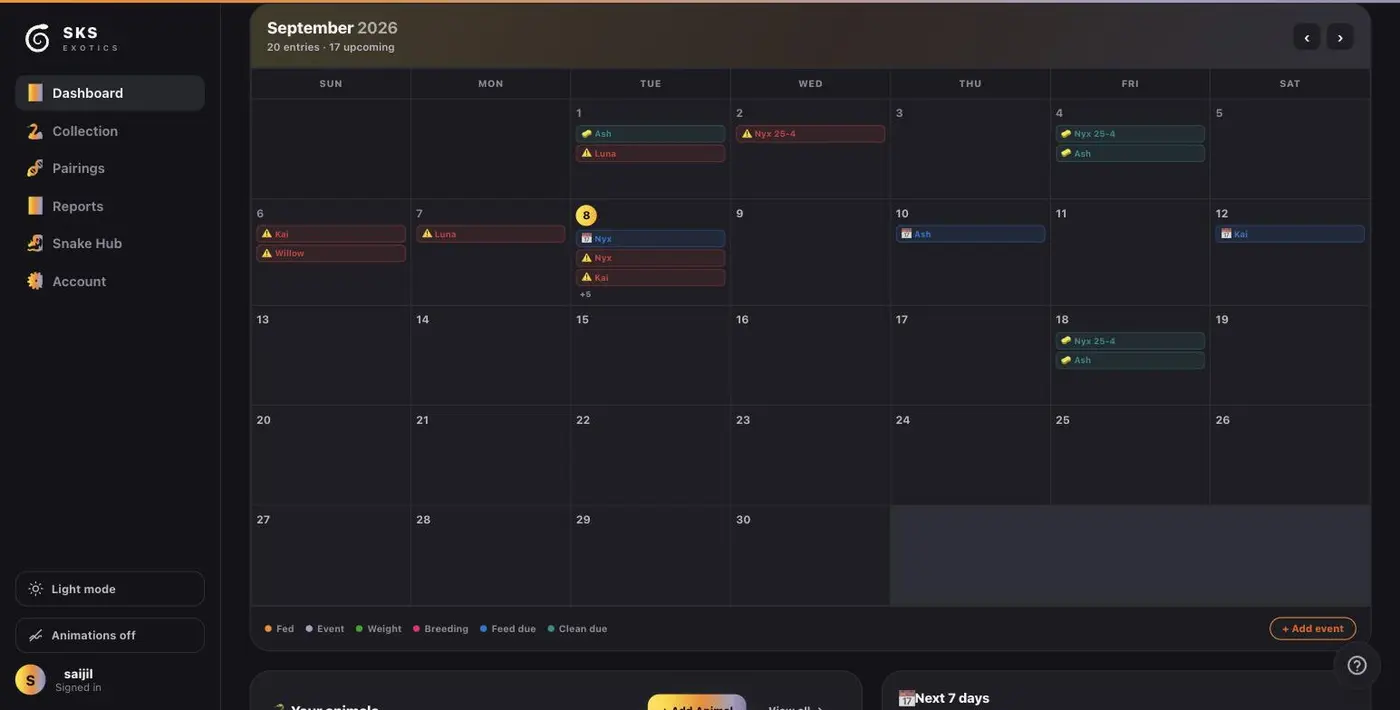
The key along the bottom says what each colour is: Fed, Event, Weight, Breeding, Feed due, Clean due. A day with more than three entries shows a +5 you can tap. Add event at the bottom right puts something on the calendar by hand, and View all opens the full record.
Two things worth knowing
- The dashboard only knows what you have logged. A quiet screen on a day you know is busy means a record has not gone in yet.
- Feeding intervals are learned from that animal's own history rather than a fixed rule, so the more you log, the better the due dates get.